
Similar Tokens
Last updated: 2026-03-12
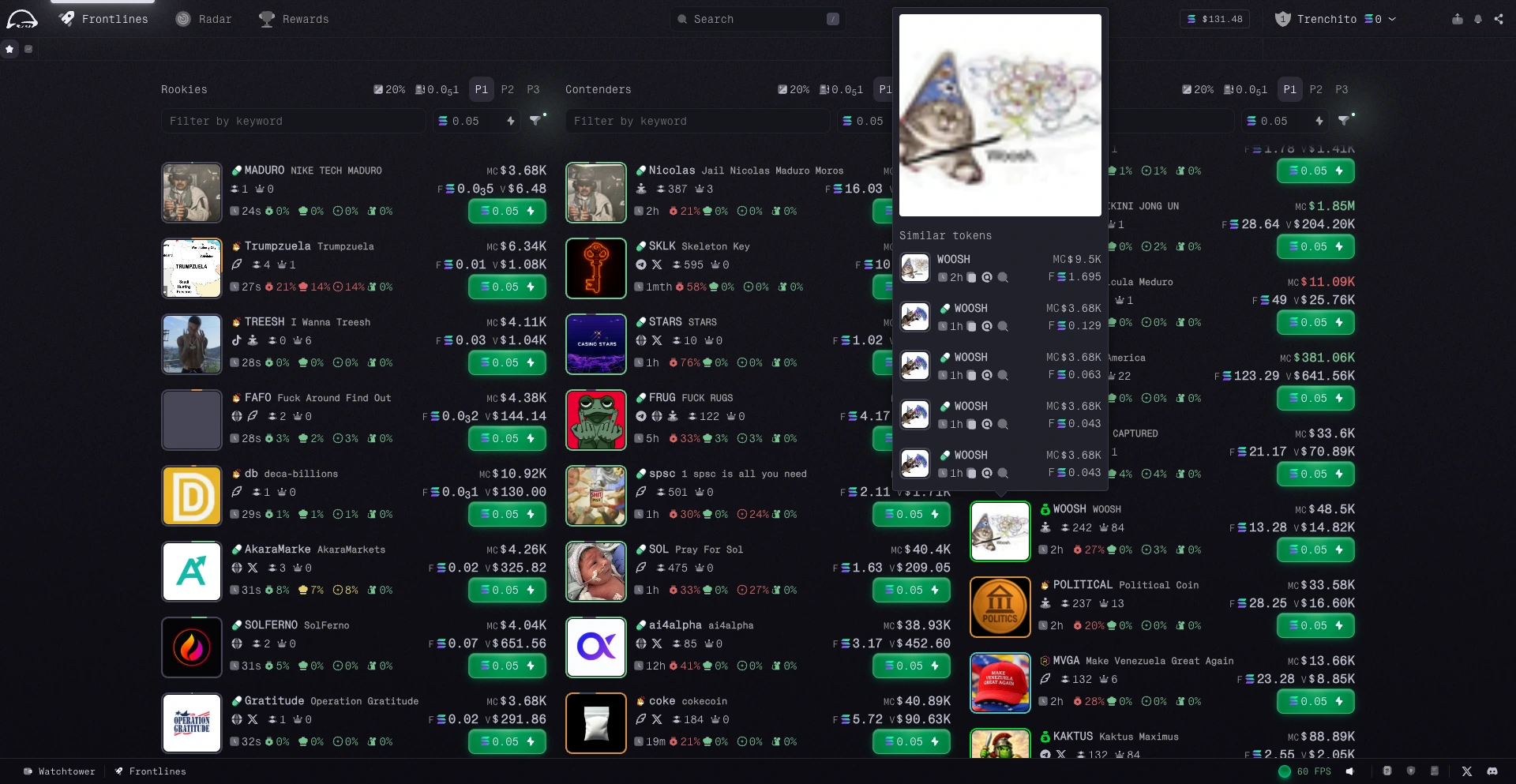
When you hover over a token logo in Frontlines, Radar, or on a token page, you can see a list of similar tokens. This helps you compare projects in the same narrative without breaking momentum.
Why It Matters
When a theme starts running, similar tokens appear fast. Some are early leaders, some are late copies, and some are just noise.
The Similar Tokens panel gives you enough context to compare them quickly:
- Market cap
- Fees paid
- Launch date
How to Use It
Hover any token logo and review the list that appears. Use the metrics to check which token is leading, which one is newest, and whether the activity looks meaningful before clicking through.