
Wallets
Last updated: 2026-03-12
The Watchtower helps you track wallets and monitor what they do in real time. Build your own intel list and keep it sharp.
The Watchtower
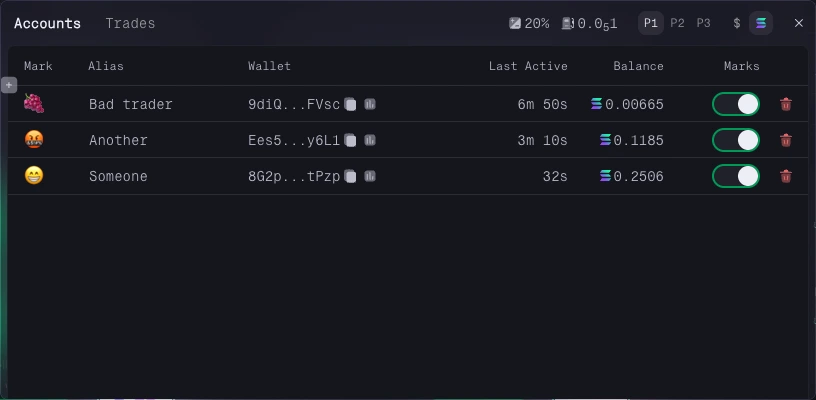
Add any wallet to your watchlist and get notified when it trades. This makes it easier to follow wallets you trust, watch active traders, or monitor specific actors around a token.
Adding Wallets to Your Watchtower
You can add wallets in several ways:
- Search for a wallet by address and favorite it from the wallet modal or wallet page.
- Favorite a wallet directly from supported tables and modals.
- Use the plus button in the Watchtower panel to add a wallet manually.
Customize Your Tracked Wallets
Tracked wallets can be customized so they are easier to read at a glance:
- Custom names help you identify wallets across the platform.
- Custom emoji marks appear on the chart when those wallets trade.
- Activity and SOL balance help you judge whether the wallet is still active.
Chart Marks
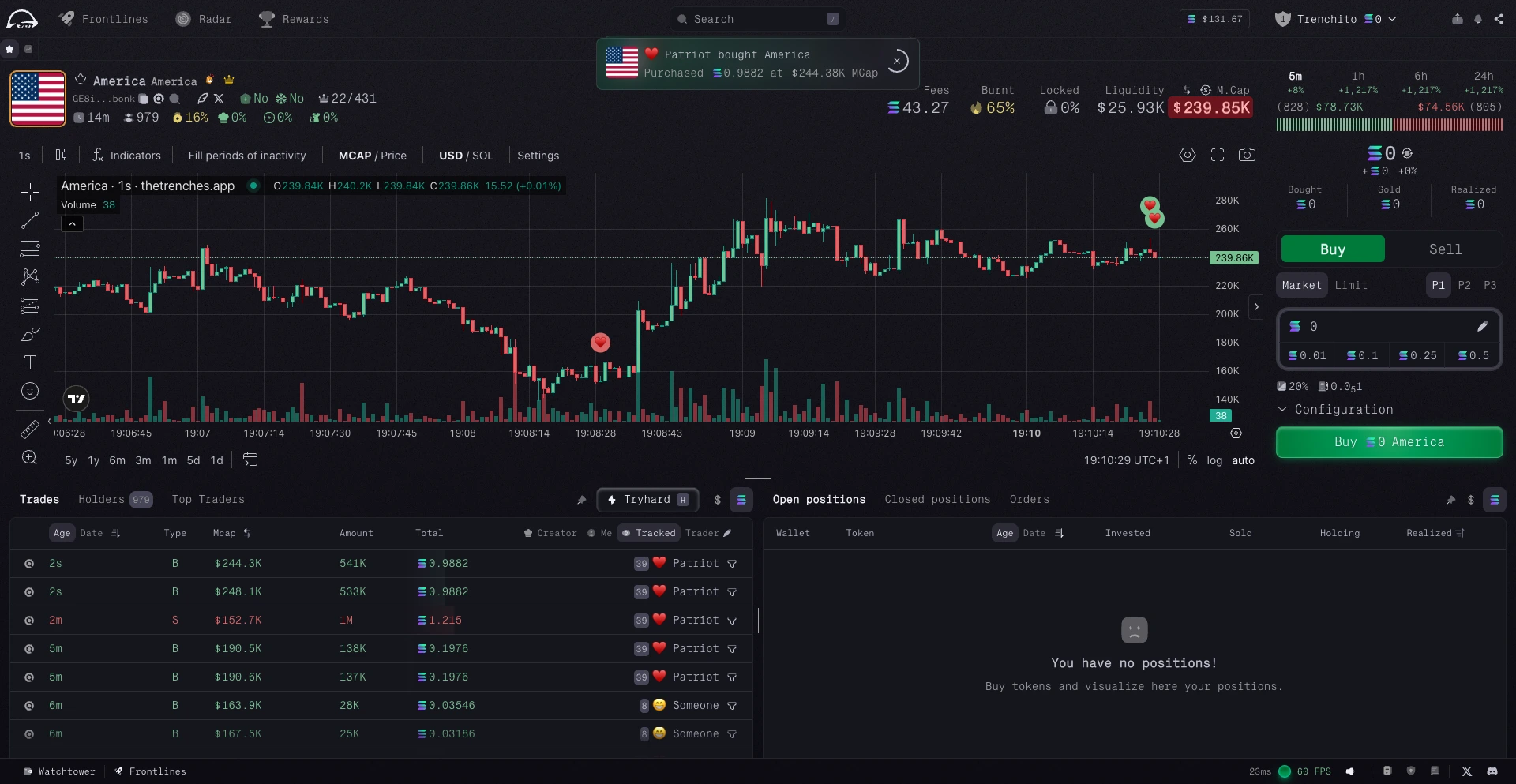
When you are viewing a token, tracked wallet trades can appear as marks directly on the TradingView chart.
You can control how much of this appears:
- Use the
Marksswitch next to a wallet to toggle its marks on or off. - Disable all Watchtower marks in the TradingView settings if you want a cleaner chart.
The Trades Feed
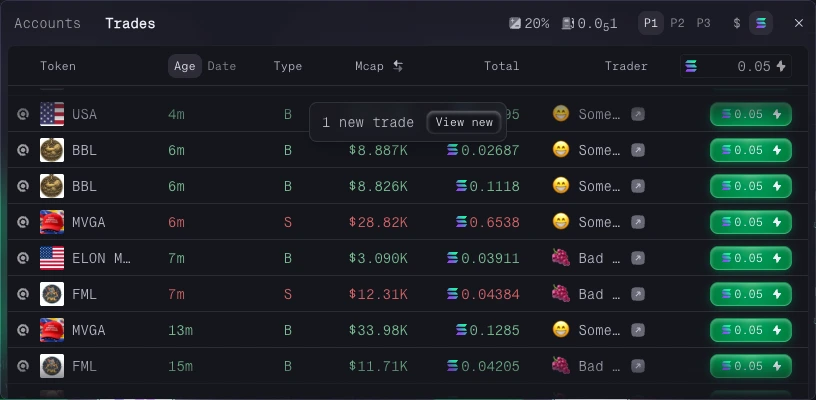
The Trades tab in the Watchtower panel shows the latest trades from all tracked wallets in one live feed.
Each row gives you:
- quick access to the token page,
- a Quick Buy button,
- the Solscan link, timestamp, market cap or price at execution, and total SOL spent.
Filter Tracked Wallet Trades
On a token page, you can filter the trades table to show only activity from tracked wallets.
Combined with chart marks, this gives you both the timeline and the detailed trade list for the wallets you follow.
Removing Wallets from the Watchtower
To remove a tracked wallet, press and hold the remove button. It will disappear from the feed and its marks will no longer appear on charts.